
Vidnoz AI Unpacked: Is It the 10x Productivity Tool You’ve Been Waiting For?
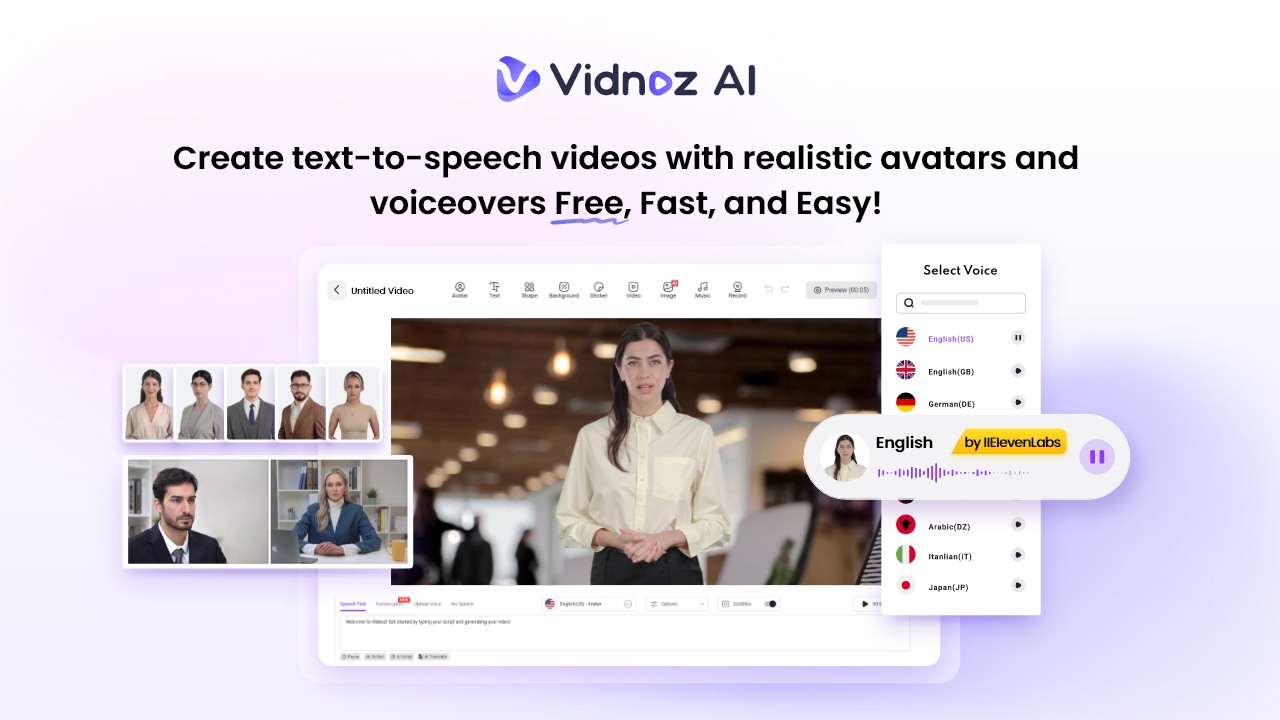
Creating professional-looking videos has traditionally required expensive equipment, technical know-how, and hours of editing. AI video creation tools like Vidnoz AI promise to change all that. Touted as a powerful AI video generator, Vidnoz claims to help creators produce high-quality videos in minutes using nothing more than a text prompt. Can it boost your productivity and streamline your workflow 10 times over? In this review, we’ll take a closer look at Vidnoz AI — covering its standout features, how it works, and what it costs. To learn everything about Vidnoz AI, follow this guide till the end.
Part 1: Everything You Need to Know About Vidnoz AI
Vidnoz AI is a web-based, AI-driven video generation platform that converts text into engaging videos using realistic avatars, lifelike voices, and professional templates. Designed specially for marketers, creators, educators, and businesses, Vidnoz AI simplifies the entire video production process — no camera, mic, or editing skill required. With intuitive tools like text-to-video, avatar selection, and AI voiceovers, users can produce videos up to 10x faster than traditional methods. The standout feature of this tool is that it is certified with ISO/IEC 27001:2022 for Information Security Management. Whether you’re a content creator, marketer, or educator, this program empowers you to unlock new possibilities with the help of artificial intelligence.
Part 2: How Vidnoz AI Boosts Your Content Creation 10X
Vidnoz AI supercharges your content creation workflow by replacing time-consuming video production tasks with fast, AI-powered automation. Here’s how it boosts your productivity at 10X:
- Customizable Templates: With Vidnoz AI, you’ll get 2800+ pre-designed templates, allowing users to create various types of videos in minutes, including how-to guides, tutorials, product demos, social media posts, and more. Users can also create custom templates — no design skills needed.
- Realistic Avatars: The program offers 1700+ AI Avatars, each from different roles and industries such as teachers, students, doctors, hosts, customer support, and policemen. Additionally, Avatar Lite allows you to create digital twins that can speak in 40+ languages, which helps with quick creations, and Avatar Pro allows for deeper customization.
- High-Quality AI Voices: Vidnoz AI includes 1830+ AI voices, all powered by popular platforms such as ElevenLabs, Google, and Microsoft. It includes voices of celebrities, politicians, anime, cartoons, and singers, eliminating the need for voice actors or presenters, saving both time and cost.
- AI Video Wizard: No editing skill required? Yes, with Vidnoz AI, users can create high-quality videos using text prompts or any source material. The program provides support to TTS technology, enabling users to create videos without professional help.
- Free to Use: With this tool, you can create videos without breaking the bank. It offers a free-to-use version, enabling users to create a 3-minute video daily. Further, free Vidnoz AI also supports advanced features such as Avatar Lite and Lip-Sync Voices.
Part 3: How Much Does Vidnoz AI Cost?
Vidnoz AI provides a range of plans, both free and paid. Below is a breakdown of the available Vidnoz pricing options:
1. Free Plan
- Price: $0.00 Per Month
- Video Creation: Allows users to create a 3-minute video daily.
- Features:
- 1500+ AI Avaatrs
- 2600+ Video Templates
- 880 Voices
- 720P Resolution
- Avatar Lite
2. Starter
- Price: $19.99 Per Month
- Video Creation: Enables users to create a 15-minute video per month.
- Features
- 1600+ AI Avatars
- 2900+ Video Templates
- 1460+ AI Voices
- 3 Avatar Lite
- 6 Product Background Creations
- 1080P Resolution
- No Watermark
- Voices with Emotions
3. Business
- Price: $56.99 Per Month
- Video Creation: 60 Minutes Per Month
- Features
- 1600+ AI Avatars
- 2900+ Video Templates
- 1460 Lip-Sync AI Voices
- 10 Avatar Lite
- 18 Product Background Creations
- Unlimited AI Image Generations
- Faster Video Processing
- 1-Click Video Translation
- No Watermark
Part 4: How to Create 10X Faster Videos Using Vidnoz AI: A Step-by-Step Guide
Vidnoz AI fast video processing allows you to create high-quality videos in minutes. Here is how to do it:
- Go to Vidnoz AI’s official site and click on the “Create Free Video Now” button. Select a template and avatar that best match your video’s purpose.

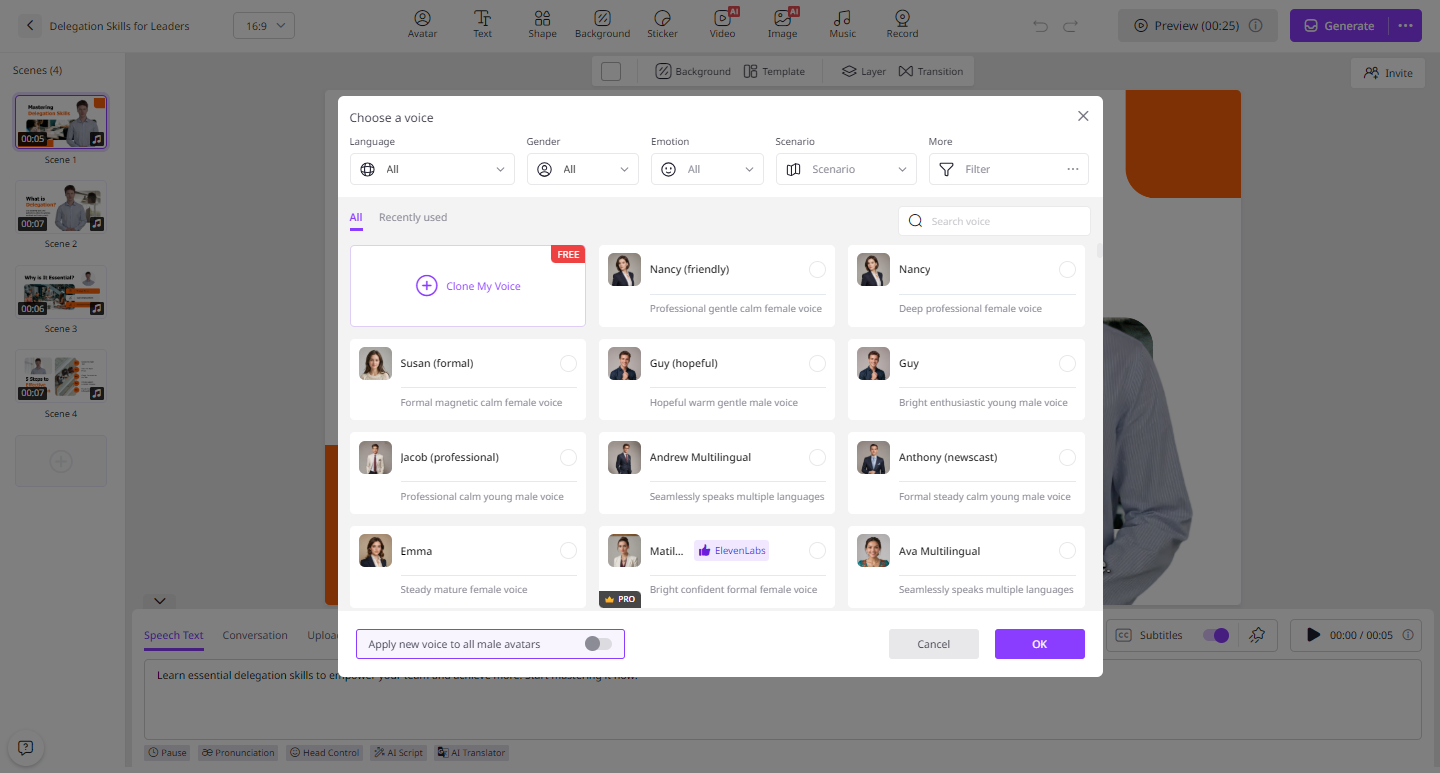
- Enter your video script and choose AI Voices. Vidnoz offers 1830+ AI voices in 140+ languages, including English, Chinese, Turkish, and more.
- Next, use AI Video Editor to customize the AI video. With this Video Editor, users can add music, change the background, insert text, and more.
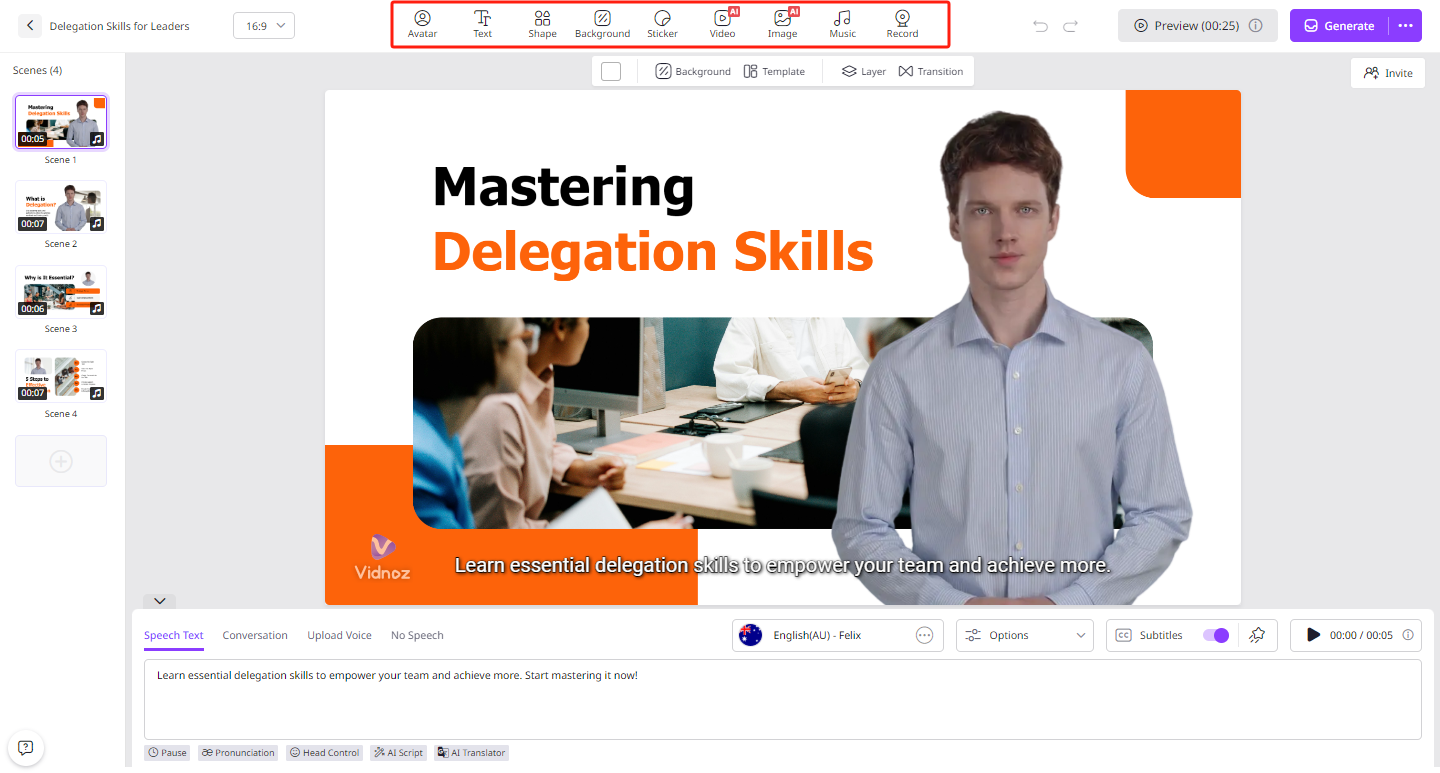
- In the end, click on the “Generate” button to begin the video creation process. Within a few seconds, your AI video will be ready. Preview it and click on the “Download” option to export it in MP4 format.
Part 5: Conclusion
Looking for a way to create video at 10X? Look no further! Vidnoz AI is one of the most popular AI Video Creation tools, allowing users to create videos within seconds. Its powerful features and capabilities can accelerate your workflow by up to 10X.